How Agencies Track Competitor Ads for Every Client
The best way for an agency to monitor competitor ads is a weekly loop per client: a fixed list of 3 to 8 competitors, a check for new launches, ideas still running and ads stopped, then a brief and a one-page report. The loop breaks when it lives in screenshots and memory. A tool helps most when it keeps each client's competitors apart, remembers ads after they stop, and does not charge more as your clients spend more.
This guide gives you the workflow, a report template you can copy, and a checklist for choosing a tool.
Why does competitor tracking break at scale?
One client is easy. You open the Meta Ad Library, look at four brands, save some screenshots and write a few lines.
At ten clients, the same habit stops working. Here is where it usually cracks:
- The brand lists live in someone's head. Nobody wrote down which five competitors belong to which client, so each person checks a different set.
- Manual searches eat the week. Every check is a fresh search in the Ad Library, brand by brand, client by client.
- Screenshots die. The ad stops running, the link goes dead, and the proof you showed last month is gone.
- Nothing says what changed. A folder of saved ads does not tell you which ones are new this week.
- The client asks anyway. "What are my competitors doing?" arrives on a Tuesday call and you start scrolling.
Agency teams describe the same pattern: the bottleneck is rarely media buying, it is the creative research, and the manual version of it gets harder with every client you add.
The fix is not more effort. It is a smaller, repeatable routine.
What is a repeatable weekly workflow for each client?
Keep it the same for every client. Same steps, same day, same report. That is what makes it possible to hand it to a junior.
-
Set up the watchlist once. Pick 3 to 8 competitors per client: the closest direct rivals, plus one or two brands the client's customers also buy from. Write the list down in one place and agree it with the client. Add or drop brands once a quarter, not every week.
-
Check new launches. For each competitor, look for ads that started since last week. Note the hook, the offer and the landing page. Our competitor ad analysis framework gives you the seven things to record for each ad.
-
Check which ideas are still being scaled. Brands run many copies of one idea. One idea with many versions and recent start dates means the advertiser is pushing it. Group copies together before you count, or one idea will look like twenty. Run time is a useful signal and an easy one to over-read.
-
Check what stopped. An ad that disappeared after a week is a result too. It tells you what the competitor tried and dropped, which saves your client from testing it blind. This only works if you kept a record, because the Ad Library is built for searching ads that are active now, and stopped ones are easy to lose.
-
Turn findings into one to three tests. Do not forward a pile of ads. For each client, write down the test you would run: the angle, the format, the hook. Then turn it into a brief the creative team can start on.
-
Send the client one page. Clients do not want 40 screenshots. They want to know what changed, what you think it means and what you are doing about it.
Steps 2 to 4 should take 15 to 30 minutes per client once the list exists. If it takes longer, the list is too long.
What does a one-page client report look like?
Copy this layout. It fits on one page and answers the question the client will ask.
COMPETITOR AD REPORT: [Client]        Week of [date]

WATCHLIST: [Brand A], [Brand B], [Brand C], [Brand D], [Brand E]

1. WHAT'S NEW
   | Brand   | New ads | Hook / offer           | Landing page          |
   |---------|---------|------------------------|-----------------------|
   | Brand A | 6       | "Free shipping, 30d"   | Dedicated bundle page |
   | Brand B | 0       | n/a                    | n/a                   |

2. WHAT THEY KEEP RUNNING
   - [Idea]: [N versions], oldest started [date], newest [date]
   - Read: [what this suggests, marked as inference]

3. WHAT STOPPED
   - [Idea] ran [N weeks], then stopped. Possible reason: [inference]

4. WHAT WE'RE TESTING NEXT
   - Test 1: [angle], [format], [hook]. Brief: [link]
   - Test 2: ...

5. ONE THING TO WATCH
   - [A shift in offer, format or platform worth a second look]
Two rules keep the report honest. Label what you saw (fact) separately from what you think it means (inference). And never claim to know a competitor's spend or results. You can see how long an ad ran and how many versions exist. You cannot see ROAS.
What should an agency look for in a tracking tool?
If you decide a tool is worth it, judge it on how it fits an agency, not a single brand.
Per-client organisation. Can you keep each client's competitors and saved ads apart? Some tools offer full client workspaces. Others give you boards or folders. Both can work, but check which one you are getting, and how many your plan includes, before you promise a client anything.
Pricing that is not tied to client ad spend. This is the one agencies complain about most. When a tool charges by the ad spend it analyses, your bill grows when your clients grow, and you cannot pass it through cleanly. Based on the vendors' own pricing pages, checked on 17 Nov 2026:
- Motion prices by ad spend tier, from $999 a month for up to $50k of monthly spend. Its Runneth page says tiers use spend averaged over 12 months across connected accounts.
- Atria caps the ad spend each team plan analyses: $500K on Core and $1M on Plus, unlimited on Business. Core is $129 a month billed annually (a sale price when we checked, down from $219).
- Madgicx prices by monthly ad spend band, from $45 a month under $1K of spend, rising with spend (prices above $30K are shown only in the app), with lower annual rates.
- Foreplay says its pricing has no ad-spend limits. Competitor tracking (Spyder) is not on its cheapest plan: Workflow is $149 a month billed annually ($175 monthly) with 5 users, and its Agency plan is $389 billed annually ($459 monthly) with 10 users. Extra users are $20 each.
Motion and Madgicx look at your own ad accounts, so their spend-based pricing makes more sense for that job. It is a poor fit for competitor research across many clients.
History. Ads stop. A tool that keeps what a competitor ran, after it stops, lets you see what they tried and dropped. A tool that only shows live ads gives you half the picture.
Sharing and reporting. Can you hand a client a link or a board instead of a deck? Ask what is shareable today, not what is on the roadmap.
A path to briefs. Research that stays in a folder does not change the work. Look for a way to go from a finding to a brief without retyping it.
Honest limits. Be wary of any tool that claims to show competitor ad spend. For commercial ads outside the EU, that number is not public.
Where does Seercraft fit?
Seercraft tracks competitors' Facebook and Instagram ads, using public Meta Ad Library data. It reads the brands you track every day, keeps the history after ads stop, groups copies into ideas with version counts, and writes a cited read of what each brand is running. Every claim links back to the ads behind it. See competitor ad tracking for how it works.
For agencies, the useful parts are:
- Workspaces. Plans include a set number of workspaces, and an agency's workspace is shown by its client. Each has its own brand, competitors and people. Tracked brands come out of your plan's total, shared across workspaces.
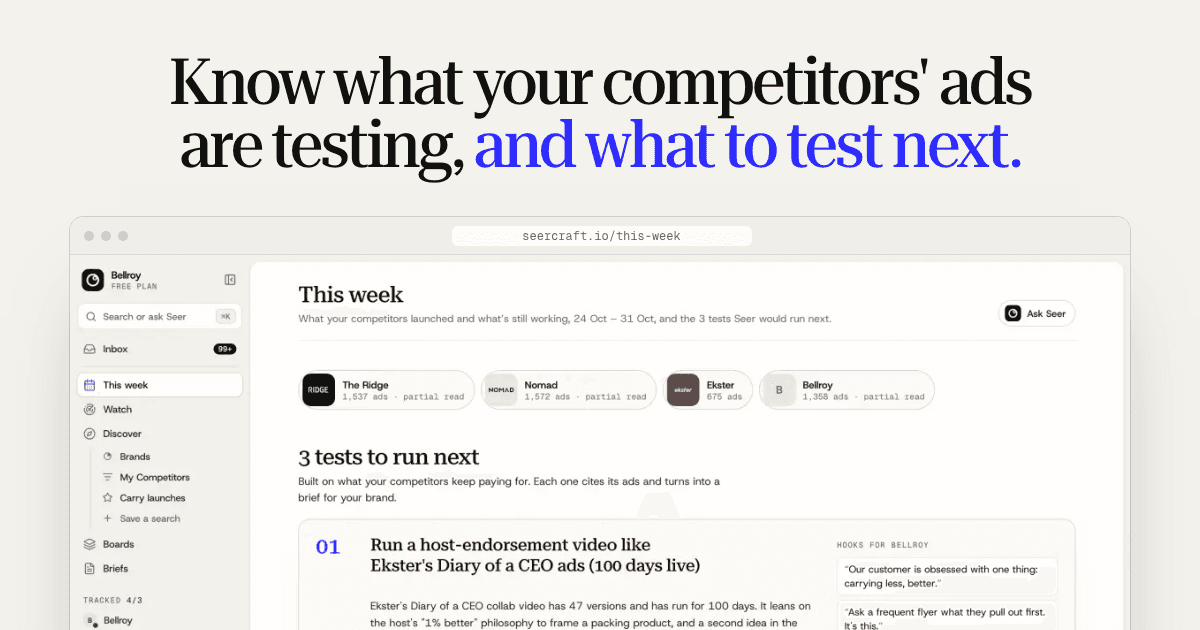
- This week. Three tests to run next, built from what competitors keep paying for, with the ads behind each one linked.
- Seer. Ask about any tracked brand in plain words, in the app or from Claude, ChatGPT or Cursor over MCP. Answers cite the ads behind them.
- Boards. Save ads with their media, so they keep loading after the original ad stops, from Discover or with the Chrome extension. Moving from Foreplay? Pro and Agency can import your Foreplay boards.
- Briefs. Turn a test or a board into a creative brief for the client's brand, then a timed script and a teleprompter. A share link opens without signing in, and on the Agency plan shared briefs carry a "Prepared by" line with your agency's name.
A week on the agencies page looks like this: open This week on Monday, turn the best test into a brief on Tuesday, share the board with the client on Wednesday, and check what competitors launched on Friday.
What it does not do yet matters just as much. It has no white-label PDF reports, and seats are for your team rather than client logins. Slack is coming soon but is not live. If your agency needs branded client reports or client logins now, Seercraft is not that yet.
Plans, checked 17 Nov 2026 on the pricing page, each with a 7-day free trial and a card required:
| Plan | Monthly | Billed annually | Tracked brands | Seats | Workspaces |
|---|---|---|---|---|---|
| Starter | $49 | $39 a month | 5 | 1 | 1 |
| Pro | $155 | $129 a month | 25 | 5 | 2 |
| Agency | $389 | $319 a month | 100 | 10 | 10 |
None is priced on ad spend. Foreplay's Agency plan, with 10 users, is the closest like-for-like if you want a swipe file with tracking; Foreplay wins if saving ads from several platforms matters most.
Seercraft currently covers Meta only. If your clients need competitor research on TikTok, Google or LinkedIn today, you will need another source for those.
A simple way to start this week
Pick one client. Write down five competitors. Run steps 2 to 4 on Friday and fill in the report. If the page tells the client something they did not know, repeat it for the next client.
If you want the full method behind the checks, start with the competitor ad analysis framework. If you want to see how monitoring turns into briefs, read competitor ad monitoring: turn rival ads into briefs.
Sources
All checked 17 Nov 2026.
Add a competitor and start your free trial. Every subscription includes a 7-day free trial, and a card is required.